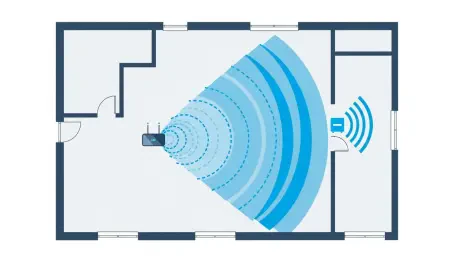

The promise of seamless, high-speed internet throughout every corner of the home often clashes with the reality of architectural obstacles and signal degradation, creating frustrating dead zones where connectivity falters. While complex mesh systems offer a comprehensive solution, many consumers seek a simpler, more direct fix, and for them, a wireless repeater presents an attractive proposition. These compact devices are designed to capture an existing Wi-Fi signal and rebroadcast it, effectively extending the network’s reach. TP-Link has entered this market with its latest offering, the RE220BE, a device that leverages the new Wi-Fi 7 standard. However, this model aims to provide a straightforward boost rather than a full-scale revolution in home networking, raising important questions about its performance, features, and overall value in an increasingly competitive landscape. This extender promises an easy setup and a reliable connection, but its implementation of cutting-edge technology and its price point require careful scrutiny.
1. Design and Technical Specifications
The TP-Link RE220BE presents a minimalist and modern aesthetic, featuring a clean, boxy casing that eschews external antennae in favor of a more discreet internal design, allowing it to blend unobtrusively into most home environments. Despite being marketed as a Wi-Fi 7 repeater, its specifications reveal a conservative approach to the new standard. The device operates exclusively on the traditional 2.4GHz and 5GHz frequency bands, forgoing the faster and less congested 6GHz band that is a hallmark of true high-performance Wi-Fi 7. Consequently, its maximum theoretical connection speed is capped at 2.8Gbits/sec, a respectable figure for an extender but significantly lower than the multi-gigabit speeds offered by more advanced routers and dedicated mesh systems, even those without 6GHz support. On the physical connectivity side, it includes a single gigabit Ethernet port, which adds a layer of versatility. This port can be used to provide a stable, wired connection to a nearby device like a smart TV or gaming console, or it can be used in an alternative configuration to connect the RE220BE directly to a router or switch, transforming it into a dedicated wireless access point.
A significant advantage of the RE220BE is its broad compatibility with existing network infrastructure, which makes it an accessible upgrade for a wide range of users. It does not necessitate the presence of a Wi-Fi 7 router to function; the extender can seamlessly connect to older routers operating on Wi-Fi 6 or even earlier standards, capturing their signal to rebroadcast it. While its backhaul connection may be limited by the source router’s technology, the RE220BE broadcasts its own Wi-Fi 7 compatible signal, allowing newer client devices to potentially benefit from some of the standard’s efficiency improvements. This backward compatibility is crucial, as it provides a simple plug-and-play path for extending a network without requiring a costly and disruptive overhaul of the entire system. It effectively acts as a bridge, allowing households to gradually introduce newer wireless technology into their ecosystem. This approach lowers the barrier to entry for users who are primarily concerned with eliminating dead zones and improving signal reliability rather than achieving the absolute peak speeds that a full Wi-Fi 7 setup would provide.
2. Performance and Usability
In real-world testing, the RE220BE demonstrated a tangible and significant improvement in network performance, proving itself to be a capable solution for strengthening weak signals. Interestingly, TP-Link’s product lineup includes two other Wi-Fi 7 repeaters, the RE225BE and RE235BE, which, despite different model numbers, appear to utilize identical Wi-Fi hardware. This was reflected in performance tests, where all three models delivered nearly indistinguishable results. For instance, in an upstairs study where the router’s direct signal yielded a modest download speed of 29.9MB/sec, installing the RE220BE boosted this rate to 39.8MB/sec. While this is still a fraction of a typical high-speed internet connection’s full potential, it represents a meaningful enhancement that can make a real difference in daily use. Across other locations farther from the main router, the extender maintained consistent performance, with download speeds ranging from 21.6MB/sec to 34.7MB/sec. This level of performance is more than sufficient to eliminate common frustrations like stuttering video streams or dropped connections during important video calls, confirming its effectiveness in its core mission.
One of the most commendable aspects of the RE220BE is its exceptional ease of use, from initial setup to ongoing management. The installation process is designed to be accessible to users with minimal technical expertise. It involves simply plugging the device into a power outlet, connecting a smartphone or laptop to its default wireless network, and following the prompts of a straightforward web-based configuration wizard. The only information required is the network name (SSID) and password of the existing Wi-Fi network that needs to be extended. Once operational, the extender can be monitored and managed through two primary interfaces. A web portal provides access to a range of settings and network activity logs for those who prefer a more traditional approach. Alternatively, the user-friendly TP-Link Tether smartphone app offers a more convenient way to manage the network on the go. The app includes useful tools, such as a signal tester that visually indicates the strength of the connection to the router, helping users identify the optimal location for the extender to ensure the best possible performance and coverage.
3. A Final Verdict on Value
Despite its solid performance and user-friendly design, the RE220BE falls short of harnessing the full capabilities inherent in the Wi-Fi 7 standard. The decision to omit support for the 6GHz frequency band is a significant limitation, as this band is a key feature of Wi-Fi 7, offering wider channels and less interference for dramatically higher potential speeds. This omission positions the device as more of an incremental upgrade over Wi-Fi 6 extenders rather than a truly next-generation product. For consumers specifically seeking to future-proof their network and take advantage of the latest technological advancements, the RE220BE might feel underwhelming. The “Wi-Fi 7” label sets a high expectation that the device’s feature set does not fully meet. While it provides a reliable boost, its performance ceiling is constrained by its reliance on the more congested 2.4GHz and 5GHz bands, making its primary benefit the efficiency gains of the new standard on old frequencies, rather than the raw speed and capacity improvements offered by a complete Wi-Fi 7 implementation.
Ultimately, the primary reservation regarding the TP-Link RE220BE was not its performance but its price. While it functioned well and offered a pleasant user experience, its cost was notably higher than that of its sibling models, the RE225BE and RE235BE. Given that extensive testing revealed no significant differences in hardware performance or software features among the three units, the price premium for the RE220BE appeared unjustified. The RE235BE, in particular, offered a functionally identical experience for a considerably lower investment, making it the clear choice from a value perspective. This pricing discrepancy may have been a temporary market anomaly. Therefore, for anyone considering a simple Wi-Fi 7 extender, the final recommendation was to directly compare the current retail prices of the RE220BE, RE225BE, and RE235BE. The most prudent course of action was to invest with confidence in whichever of these three functionally equivalent models was available for the lowest price at the time of purchase.