
The latest generation of wireless technology, Wi-Fi 7, has arrived with the promise of unprecedented speeds and lower latency, yet its adoption has been hampered by the premium price tags attached to first-generation hardware. For many households and small businesses, the prospect of a full network overhaul is financially daunting, creating a significant barrier to accessing the benefits of the new standard. This is the precise challenge that Netgear addresses with the Orbi 370 Series, a mesh system engineered to deliver the core advantages of Wi-Fi 7 without the exorbitant cost typically associated with cutting-edge technology. Priced accessibly, the three-pack configuration aims to blanket large homes of up to 6,000 square feet in a robust, next-generation signal. While it strategically omits the 6GHz band to achieve its attractive price point, it compensates with multi-gigabit connectivity and a reputation for solid performance. However, this budget-conscious approach comes with certain trade-offs, most notably the requirement for subscriptions to unlock essential parental control and network security features, and a limited number of physical LAN ports on the main router. This positions the Orbi 370 as a compelling, if compromised, entry point into the world of Wi-Fi 7.
1. A Closer Look at the Design and Hardware
The Netgear Orbi 370 Series adheres to a familiar and unobtrusive design philosophy, presenting a clean, minimalist aesthetic that allows the nodes to blend seamlessly into most home environments. Each unit in the three-pack, which includes one router and two satellites, features a sleek white finish and stands at a height of 8 inches, with a depth of 4.7 inches and a width of 2.9 inches. This vertical orientation helps with signal dispersion while maintaining a relatively small footprint. A subtle LED indicator is positioned at the bottom of each node to communicate its operational status without being overly distracting. During startup, the router’s LED flashes white before going dark once a stable connection is established. A solid magenta light indicates a lost internet connection, while a solid white light signals that the unit is undergoing a factory reset. The satellite nodes behave similarly, pulsing white during their boot sequence and then pulsing blue for three minutes to confirm a successful connection before the light extinguishes. While the router and satellites appear identical at a glance, a key difference lies in their port configuration. The rear panel of the router node is equipped with two 2.5GbE Ethernet ports—one designated as the WAN port for connecting to a modem and the other a LAN port for wired devices. In contrast, the satellite nodes each feature only a single 2.5GbE LAN port, which can be utilized for wired backhaul or connecting a nearby device like a smart TV or desktop computer.
Internally, the Orbi 370 is built to provide a robust Wi-Fi 7 experience, albeit within the confines of a dual-band architecture. As a BE5000 system, it operates on the 2.4GHz and 5GHz radio bands, capable of achieving combined maximum data rates of up to 5Gbps. Powering these operations is a capable 1.5GHz quad-core processor, supported by 1GB of RAM and 512MB of flash memory, ensuring smooth management of network traffic and connected devices. The most significant hardware decision is the exclusion of the 6GHz radio band, a hallmark of full-fledged Wi-Fi 7 systems. This means the Orbi 370 does not support the ultra-wide 320MHz channels that enable the highest possible speeds on the 6GHz band. While this limits its peak theoretical performance compared to more expensive tri-band or quad-band systems, it is a deliberate compromise to make Wi-Fi 7 accessible to a broader audience. The inclusion of 2.5GbE ports on all nodes is a welcome feature, ensuring that the wired connections are not a bottleneck for the high speeds the wireless network can deliver. However, the system lacks any USB ports, precluding direct network-attached storage or printer sharing. This hardware configuration places it in direct competition with other budget-oriented Wi-Fi 7 systems, though it falls short of the connectivity offered by premium alternatives like the eero Pro 7, which includes dual 5GbE ports on every node.
2. Software Management and Subscription Services
Management of the Orbi 370 system is handled through the familiar Netgear Orbi mobile app, which is consistent across the company’s mesh product lines, including the higher-end Orbi 770 and 970 series. The app provides a user-friendly interface that simplifies setup and daily network administration. Upon opening the app, users are greeted with a dashboard that displays a visual representation of the network, showing the main router and the number of connected satellites. Tapping on the router icon reveals a detailed network map, and selecting any node allows for a closer look at the specific devices connected to it. Below this primary view, a series of tiles offers quick access to essential settings and tools. The Device Manager tile provides a comprehensive list of all clients on the network, detailing their IP and MAC addresses and which node they are currently using. An integrated Internet Speed test tile lets users measure their connection’s upload and download performance directly from the app. Other key utilities include settings for managing the main and guest Wi-Fi networks, where passwords can be edited and credentials can be shared via a generated QR code. For users who require more advanced control, Netgear also provides access to a traditional web console. This browser-based interface unlocks a deeper level of customization, including settings for port forwarding, port triggering, and configuring static routes, catering to the needs of power users and network enthusiasts.
A critical aspect of the Orbi 370 ecosystem is its reliance on a subscription model for advanced security and parental control features, which may be a significant consideration for some users. Out of the box, the system does not include these protections. To gain access to robust parental controls, users must subscribe to Netgear’s Parental Control service at a cost of $7.99 per month. This subscription enables the creation of user profiles, monitoring of internet activity, blocking of specific websites or categories of content, and the ability to schedule internet downtime for children. For comprehensive network security, Netgear offers its Armor software, powered by Bitdefender, for an annual fee of $99.99. This service protects all connected devices on the network from malware, viruses, and other cyber threats, and it extends this protection to up to 50 mobile devices even when they are not on the home network. The Armor subscription also includes 24/7 technical support and an extended three-year hardware warranty. For those seeking even greater protection and privacy, the Armor Plus plan, at $149.99 per year, adds an unlimited VPN service, an ad-blocker, and anti-tracking tools. While these services are powerful, their additional cost increases the total cost of ownership over time and contrasts with some competitors that bundle basic versions of these features for free.
3. Installation Process and Performance Benchmarks
Setting up the Netgear Orbi 370 mesh system is a straightforward and guided experience, designed to get the network running with minimal technical expertise. The process begins with the Orbi mobile app; new users will need to download it and create a Netgear account. Once logged in, the setup is initiated by selecting the option to install a new Orbi system and scanning the QR code located on the router node. The app then provides clear, step-by-step instructions. The first hardware step involves unplugging the existing modem, connecting the Orbi router to it using an Ethernet cable, and then powering on both devices. The user then waits for the router’s LED indicator to turn solid white, signifying it is ready and has established a connection. At this point, the app prompts for the creation of a network name (SSID) and a secure password. Following this, the system will typically check for and install any available firmware updates to ensure optimal performance and security. The final stage is adding the satellite nodes. This simply requires placing a satellite in a central location within the desired coverage area—such as a living room or upstairs hallway—and plugging it into a power outlet. After a minute or two, the satellite’s LED will turn white, indicating it has successfully connected to the router and is now part of the unified mesh network, extending Wi-Fi coverage throughout the home.
In performance testing, the Orbi 370 system demonstrated impressive throughput capabilities, especially considering its budget-friendly market position. The router node delivered exceptional results in close-proximity tests, achieving a score of 1,990Mbps. This figure significantly surpassed the MSI Roamii BE Lite (937Mbps) and narrowly outperformed both the TP-Link Deco BE5000 (1,959Mbps) and the eero 7 (1,101Mbps). For context, these speeds are only eclipsed by premium 6GHz-capable systems like the eero Pro 7, which reached 2,850Mbps on the same test by leveraging its 320MHz channels. At a distance of 30 feet, the Orbi 370 router maintained strong performance, clocking in at 602Mbps. This was faster than the eero 7 (586Mbps) and the Roamii BE Lite (524Mbps), though slightly behind the TP-Link Deco BE5000 (628Mbps). The satellite nodes also performed admirably. On the close-proximity test, the Orbi 370 satellite recorded a throughput of 860Mbps, which was faster than the eero 7 node (745Mbps) and the Roamii BE Lite node (561Mbps), but trailed the Deco BE5000 node (982Mbps). At the 30-foot mark, the Orbi satellite’s score of 630Mbps was identical to that of the Deco BE5000 and comfortably ahead of the eero 7 (513Mbps) and Roamii BE Lite (441Mbps). These results highlight the Orbi 370’s ability to deliver consistent, multi-gigabit performance that competes strongly within its class.
4. The Final Analysis
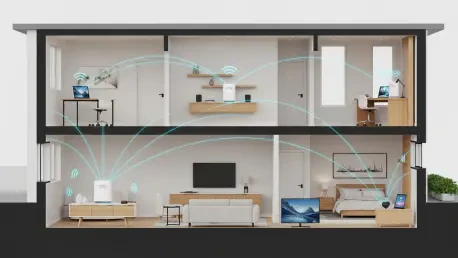
Wireless signal strength testing further validated the Orbi 370’s capabilities as a reliable whole-home mesh system. Using advanced diagnostic tools, heat maps were generated to visualize the Wi-Fi signal propagation throughout a test environment. These maps represent signal strength through a color gradient, with dark greens indicating the strongest signal, yellows a weaker one, and grays representing a very weak or nonexistent signal. The results showed that the three-pack configuration of the Orbi 370 did an excellent job of providing a powerful and consistent signal across all major areas of the test home. From the main living areas to secondary bedrooms and hallways, the system maintained a strong connection, ensuring that devices had reliable access to the network without significant drop-offs. There were, however, minor areas where the signal was slightly weaker, specifically in one of the far corner bedrooms and in the garage. This is a common challenge for many mesh systems, as signals must penetrate more walls and contend with greater interference to reach the extremities of a property. Despite these slight dips in coverage at the very edges of the home, the overall performance was robust, indicating that the system is more than capable of serving the needs of most large households by effectively eliminating dead zones and delivering the benefits of Wi-Fi 7 connectivity where it is needed most.
The Netgear Orbi 370 Series ultimately succeeded in its mission to provide an affordable entry point into Wi-Fi 7 technology. Its solid throughput scores and strong signal coverage demonstrated that it was a capable performer, effectively bringing next-generation wireless connectivity to all corners of a home for a reasonable price. The ease of setup further enhanced its appeal for consumers who prioritize a user-friendly experience over granular technical control. However, the system’s value was tempered by its compromises. The absence of 6GHz transmissions meant it could not tap into the fastest, least congested part of the Wi-Fi spectrum, a key feature of the Wi-Fi 7 standard. Furthermore, the necessity of purchasing separate subscriptions for essential parental control and network security software added to the long-term cost, potentially diminishing its initial budget-friendly allure. For users whose primary goal is to upgrade to Wi-Fi 7 on a budget without needing the absolute peak performance of the 6GHz band, this system presented a compelling option. Yet, for those seeking a more future-proof investment with superior performance, comprehensive features, and support for emerging smart home protocols like Thread and Matter, a premium alternative such as the eero Pro 7 remained the more prudent, albeit more expensive, choice.